Shop by Department
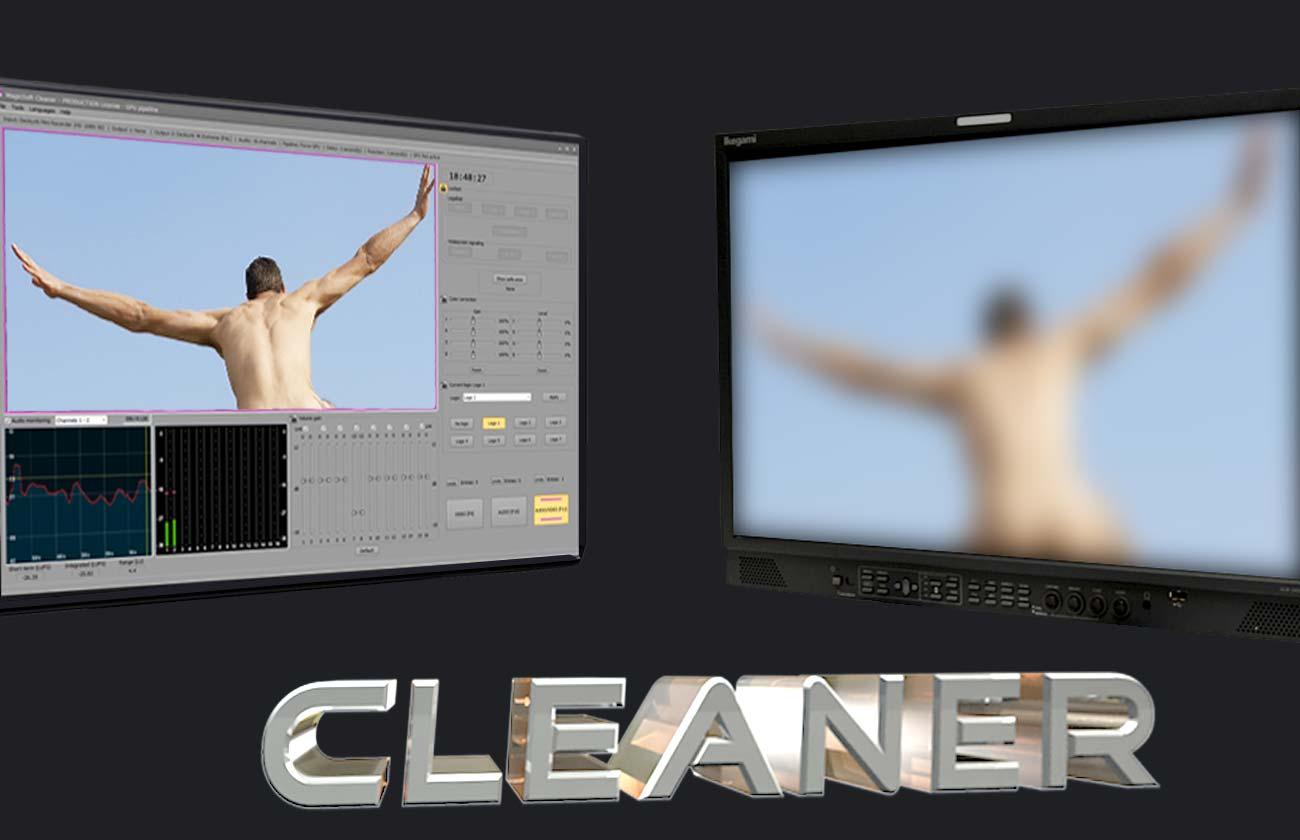

MagicSoft Cleaner v2 is a professional broadcast compliance and content protection solution designed to ensure that video and audio content meets broadcasting standards before transmission. The software provides content censorship, obscenity masking, video legalization, color correction, loudness monitoring, logo insertion, safe-area previewing, and signal compliance tools for television broadcasters, cable operators, and media organizations.
Categories: Software
Professional Broadcast Compliance Solution
MagicSoft Cleaner v2 is a specialized broadcast compliance platform developed to help television broadcasters and content distributors ensure that both technical signal parameters and editorial content meet transmission requirements.
The software protects broadcasters against accidental transmission of inappropriate material such as nudity, offensive imagery, indecent language, and non-compliant video levels while simultaneously providing advanced video and audio processing tools required for professional broadcasting environments.
Designed for continuous operation, MagicSoft Cleaner integrates seamlessly into SD, HD, and UHD 4K broadcast workflows while maintaining signal integrity and operational reliability.
Content Protection & Censorship Tools
MagicSoft Cleaner provides powerful content protection capabilities for broadcasters operating in regulated markets.
Key features include:
Operators can blur only the required portions of the screen while maintaining visibility of the remaining content. This provides maximum flexibility during live broadcasts and recorded programming.
Offensive Language Protection
The software includes dedicated audio censorship tools designed to prevent the transmission of offensive or inappropriate language.
Available masking methods include:
These capabilities help broadcasters comply with content regulations, editorial guidelines, and regional broadcasting standards.
Video Legalization
MagicSoft Cleaner helps ensure that outgoing video signals remain within acceptable broadcast specifications.
Capabilities include:
This functionality helps prevent transmission issues caused by excessive video levels or illegal broadcast signals.
Advanced Color Correction
The platform includes professional color correction tools designed to improve image quality and maintain visual consistency.
Features include:
These tools help operators maintain consistent image quality across multiple content sources and production environments.
Logo Insertion & Channel Branding
MagicSoft Cleaner supports the insertion of station branding directly into the outgoing signal.
Features include:
This functionality allows broadcasters to maintain channel branding while processing content for compliance.
Audio Monitoring & Loudness Control
The software includes comprehensive audio monitoring tools required for professional broadcasting environments.
Capabilities include:
Dedicated VU meters provide accurate visualization of signal levels, helping operators maintain consistent audio quality and regulatory compliance.
Safe Area Monitoring
MagicSoft Cleaner assists operators in verifying on-screen content placement through integrated safe-area visualization tools.
Features include:
This functionality helps ensure compliance with broadcast graphics placement standards and protects against content cropping issues.
Signal Conversion & Processing
The software supports professional signal processing and format conversion workflows.
Capabilities include:
Broadcasters can generate additional outputs while converting signals to alternative broadcast formats.
Professional Video Processing
MagicSoft Cleaner processes video using professional broadcast-quality standards.
Supported processing includes:
These capabilities ensure maximum image quality throughout the compliance workflow.
Multi-Channel Audio Processing
The platform supports professional audio workflows for television broadcasting.
Features include:
This allows operators to monitor and control complex audio configurations commonly used in broadcast production.
Input & Output Integration
MagicSoft Cleaner integrates with both traditional broadcast infrastructures and modern IP-based workflows.
Supported technologies include:
This flexibility enables deployment within a wide range of broadcast facilities.
DeltaCast Automatic Bypass Protection
The software supports DeltaCast frame buffers equipped with automatic relay bypass protection.
Benefits include:
In the event of hardware or software failure, signal continuity can be maintained automatically.
WideScreen Signaling Support
MagicSoft Cleaner includes support for WideScreen Signaling (WSS), allowing broadcasters to preserve proper display behavior across different television formats and viewing environments.
This ensures compatibility with legacy and modern display systems while maintaining proper aspect ratio handling.
Typical Applications
MagicSoft Cleaner is ideal for:
General Specifications
| Specification | Details |
|---|---|
| Software Version | MagicSoft Cleaner v2 |
| Application Type | Broadcast Compliance & Content Protection Software |
| Operation Mode | Real-Time Broadcast Processing |
| Supported Resolutions | SD, HD, UHD 4K |
| Operating System | Windows 7, Windows 8, Windows 10, Windows 11 |
| Server Support | Windows Server 2016, 2019, 2022, 2025 |
Supported Video Formats
| Resolution | Supported Frame Rates |
|---|---|
| UHD 4K | 23.98, 24, 25, 29.97, 30, 50, 59.94, 60 |
| HD1080p | 23.98, 24, 25, 29.97, 30, 50, 59.94, 60 |
| HD1080i | 50, 59.94 |
| HD720p | 50, 59.94 |
| SD | PAL, NTSC |
Compliance & Content Protection
| Feature | Supported |
|---|---|
| Nudity Blurring | Yes |
| Obscenity Masking | Yes |
| Wardrobe Malfunction Protection | Yes |
| Selective Area Blur | Yes |
| Touchscreen Control | Yes |
| Mouse-Based Blur Control | Yes |
| Offensive Language Filtering | Yes |
| Audio Beep Replacement | Yes |
| Audio Muting | Yes |
| Custom Audio Replacement | Yes |
Video Processing Features
| Feature | Supported |
|---|---|
| Video Legalization | Yes |
| Color Correction | Yes |
| Up-Conversion | Yes |
| Down-Conversion | Yes |
| Field Order Swapping | Yes |
| Safe Area Monitoring | Yes |
| WideScreen Signaling (WSS) | Yes |
| YUV 4:2:2 Processing | Yes |
| 10-bit Video Workflow | Yes |
Audio Features
| Specification | Details |
|---|---|
| Maximum Audio Channels | Up to 16 |
| Audio Depth | 16-bit |
| Sampling Rate | 48 kHz |
| Loudness Monitoring | Yes |
| Audio Level Monitoring | Yes |
| VU Metering | Yes |
| Peak Monitoring | Yes |
| Per-Channel Audio Adjustment | Yes |
Input & Output Support
| Feature | Supported |
|---|---|
| DeckLink Input | Yes |
| NDI Input | Yes |
| Simultaneous Outputs | 2 Outputs |
| SD Workflows | Yes |
| HD Workflows | Yes |
| UHD 4K Workflows | Yes |
Reliability & Broadcast Protection
| Feature | Supported |
|---|---|
| DeltaCast Integration | Yes |
| Automatic Relay Bypass | Yes |
| Signal Continuity Protection | Yes |
| Broadcast Failover Support | Yes |
Available Optional Modules
| Optional Module | Description |
|---|---|
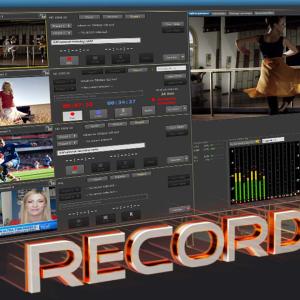
| Recording Module | Enables simultaneous recording of both the incoming source signal and the processed output signal for compliance recording, content review, auditing, and archive purposes. |
Your email address will not be published. Required fields are marked *
Please login to write review!
Looks like there are no reviews yet.