0 0
0
No products in the cart.

Shopping Cart

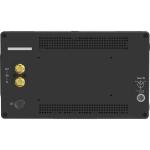
Steadicam TVLogic 7" HD Monitor with Monitor Cable & Mounting Blocks for Universal Monitor Mount

Brand: STEADICAM

MFR: 7TVLMONK

SKU: SF-2443-XATO

9,188.00

  • 7" Display for Steadicam Stabilizer
  • TVLogic Mounting Blocks for Steadicam
  • Includes Monitor Cable
  • HDMI/SDI Cross Conversion
  • Support for 3D LUTs, HDR
  • 1500 cd/m² in Outdoor Mode
  • 1800 cd/m² in Maximum Brightness Mode

Items Included


  • Steadicam TVLogic 7" HD Monitor with Monitor Cable & Mounting Blocks for Universal Monitor Mount
  • Monitor Cable
  • D-Tap to USB-C Cable
  • Camera Mount
Not in stock - Order now and we'll deliver when available - Normally ships in 4-6 weeks
Quantity

Categories: Monitors

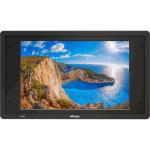
The TVLogic 7" HD Monitor with Monitor Cable & Mounting Blocks for Universal Monitor Mount from Steadicam provides a high-brightness display for use on your Steadicam stabilizer. This kit includes the TVLogic F-7HS 7" monitor, a monitor cable, and installation blocks to mount onto the Steadicam Universal Monitor Mount.

The F-7HS features a 1920 x 1200 resolution, 3G-SDI and HDMI inputs and loop outputs, and a maximum brightness of 1800 cd/m² using the peaking boost function. There are numerous built-in imaging tools, including waveform, vectorscope, markers, 3D LUTs, and more.

Advanced Color Adjustment OSD
The F-7HS provides various color adjustment menus that enable the user to monitor the video signal.
ARRI Camera Status
This function takes the metadata from the ARRI ALEXA camera and displays the camera status information and the lens data system information on the OSD. Lens Data System information like lens name, focal length, iris, fps, exposure time, white balance, and more are displayed on the screen.
Custom 3D LUT Import

The F-7HS allows users to load their own created 3D LUT files generated by the color grading tools and apply them to the monitor. This function enables users to monitor the customized looks and easily compare the different on-set grading images.


LUTs for every major camera manufacturer are integrated into the F-7HS, and they can be applied to the live input video.

  • ARRI Log-C
  • Sony S-Log1, S-Log2, S-Log3
  • Canon C-Log
  • RED Gamma 3, RED Gamma 4
H/V Flip
Thanks to the built-in gyroscope sensor, if you turn the monitor upside down, the screen is flipped automatically. You can also manually flip the screen horizontally or vertically.
Waveform
The F-7HS supports the various modes of waveforms, such as wide, full, and YCbCr.
Luma (Y') Zone Check
The Zone Check tool analyzes the luma (Y') level of the input image and displays the selected zone on the screen. After each pixel's Y' level is analyzed, it is displayed as a certain color or zebra pattern according to the Index on the right side of the screen.
Vectorscope
This function displays the color components 'B-Y' and 'R-Y' of the input signals onto the X-Y axis. Two different types of vectorscope are displayed according to SD or HD input signals. The 100 and 75% scales are indicated on the vectorscope.
Focus Assist
The Focus Assist function assigns a color to the pixels in the shape or boundary area of the image to inform the user to make the best focus. With this function, users can easily differentiate the focused area from the out-of-focus area, especially when shooting with a shallow depth of field.
Range Error
Analyzes the input signal's luma (Y') and chroma information (C'), and if the input signal exceeds the designated minimum value and maximum value, the pixel will blink. This function helps the user to easily find out any unwanted level of signals and for better exposure settings.
User Aspect Ratio
This function allows the user to adjust the width and height of the input image and then display it at the customized aspect ratio.
Markers
The F-7HS has various marker modes that allow the user to adjust marker type, center marker, safety area, fit marker, marker mat, marker color, marker thickness, and more.
Zoom
This function magnifies the input signal from 0 to 90%.
Audio Level Meter

Displays the level of the embedded audio signal together with the video signal input through SDI and HDMI. Up to 16 channels are supported by SDI and two channels by HDMI. Various level meter modes help the user with convenient audio monitoring.


  • Level meter channel number (16/8/4-channel) and direction (horizontal, vertical) adjustable
  • Level meter grouping available
  • Audio channel pair or group selectable
  • Level meter size (small, large) changeable
Timecode Display
Timecode information is displayed on the screen, and it supports VITC and LTC modes.
Freeze
This function allows the instant stop of the video and the monitoring of the frozen image.
Blue Only/Mono
Red and green channels are not used, and only blue or monochrome channel is used to display the screen. This function is used to adjust the color tones (tones and saturation) of the screen using the SMPTE color bar.
H/V Delay
This function allows the user to check the blanking area and synchronize signals by displaying the horizontal and vertical intervals in the center of the screen.
Image Tools
  • Compatible with various SDI/HDMI signal formats
  • HDMI-to-SDI/SDI-to-HDMI conversion output
  • Stereo audio output via headphone jack
  • Easy-to-adjust user configuration using the control knob
  • Custom 3D LUT import
  • Integrated camera LUT
  • Advanced color adjustment OSD
  • Waveform and vectorscope
  • Audio level meter
  • Video range adjustment: limited 109%, full
  • Various markers
  • Grid display: 3 x 3, 4 x 4, 5 x 5, 6 x 6
  • Timecode display: LTC, VITC
  • ARRI camera status: LDS Info, Index Letter
  • Various scans: Zero scan, overscan, 1:1 scan
  • User aspect
  • H-flip, V-flip, H/V-flip: Manual, auto
  • Focus assist
  • H/V delay
  • Blue/mono only
  • Various aspect ratios: 16:9, 4:3, 2.35:1, 1.85:1, 15:9, 16:10
  • Anamorphic: 1.3x, 1.5x, 1.8x
  • Luma (Y') zone check
  • Range error
  • Zoom: 10%, 20%, 90%
  • Zoom split: Left-top, right-top, left-bottom, right-bottom, center, freeze
  • Internal pattern display
  • Tally lamp and screen tally
  • Remote control via RS-422 (RJ-45)
  • GPI control via REMOTE port
  • Firmware update and calibration via USB-A

General
Video Format
1080p: 30/29.97/25/24/23.98
1080PsF: 30/29.97/25/24/23.98
1080i: 60/59.94/50
720p: 60/59.94/50
576i: 50
480i: 59.94
Display
Panel Type
LCD
Display Size
7"
Native Resolution
1920 x 1200
Touchscreen
No
Viewing Angle (H x V)
160 x 160°
Maximum Brightness
1800 nits / cd/m2
Contrast Ratio
1200:1
Inputs/Outputs
USB I/O
1 x USB-A 2.0 Female Input
Video I/O
1x HDMI Input
1x BNC (3G-SDI) Input
1x HDMI Output
1x BNC (3G-SDI) Output
Audio I/O
1x 1/8" / 3.5 mm Headphone Output
Media/Memory Card Slot
Yes
Power
Power Source
DC Input
DC Input Power
6 to 34 VDC
Power Consumption
21 W (Maximum)
Physical
Color
Black
Operating Conditions
32 to 104°F / 0 to 40°C
Storage Conditions
-4 to 140°F / -20 to 60°C
Dimensions
8.3 x 4.9 x 1.1" / 211 x 125 x 28.3 mm
Weight
1.7 lb / 760 g

Add your review

Your email address will not be published. Required fields are marked *

Please login to write review!

Upload photos

Looks like there are no reviews yet.
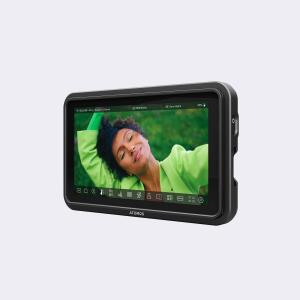
Items Included


  • Steadicam TVLogic 7" HD Monitor with Monitor Cable & Mounting Blocks for Universal Monitor Mount
  • Monitor Cable
  • D-Tap to USB-C Cable
  • Camera Mount